Table of Contents
WordPress The Events Calendar incompatible with membership and force login plugins
I have a client Life Recovery who needed an internal staff portal for resources and a shared events diary. The resources and diary should be visible only to staff, however they wanted the portal home page to be visible visible to professionals working at relevant organisations and or running services.
The resources section was easy to hide, it’s just as directory plugin and the force login plugin dealt with it well. However when it came to the events page, I had several days of difficulty trying to get this hidden.
Force login plug-in doesn’t hide events
First of all, the force login plugin would not hide the events page: I would simply see a blank screen.
Force login causes events calendar buffering
Also, while using force login, when logged in and trying to change calendar views
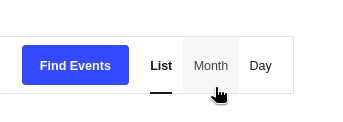
I had issues with the calendar buffering endlessly (three blue dots bouncing). I wasn’t able to load the month or day view.
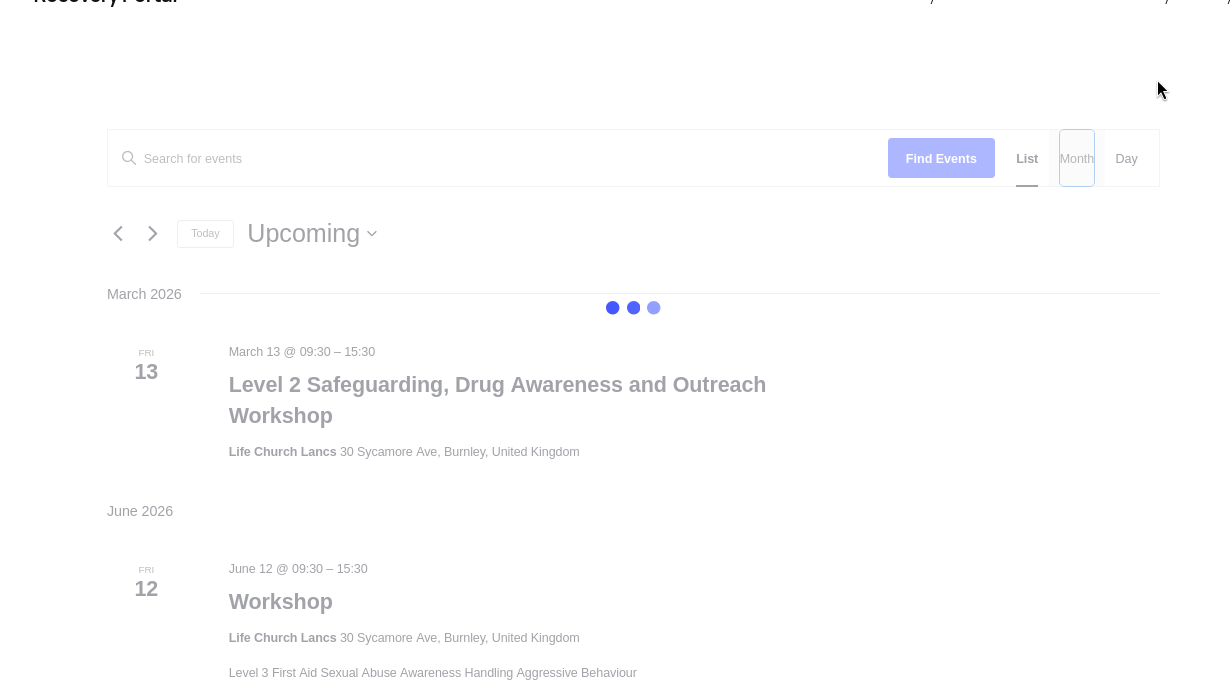
ChatGPT suggested different versions of code, varying approaches, but I decided the force login plugin wasn’t a good option because it still caused the buffering issues described above. I decided to go for a membership plugin.
Membership plugins couldn’t hide the events calendar either
I had initially ruled out using a memberships plugin: though Life Recovery are expanding, it’s from a small enough base that a full on membership plug-in is overkill. However I didn’t have any other clear options, bearing in mind I’m not a developer and ChatGPT couldn’t seem to fix the issue. None of the forum threads I found gave a clear solution.
Trying the different options on wordpress.org, I didn’t find any membership plugins that seemed to be able to block this page either. ChatGPT said that Paid Memberships Pro could do it, as they have an add on for The Events Manager, however, I found this by default only dealt with individual events and tickets etc and not the whole events page.
Paid Memberships pro: Superb support and responsive community
I asked Paid Memberships Pro for help by email and also the community in slack. I received really helpful responses from both, including the demo code from their customer support team that finally resolved my issue. I’m wasn’t a paying customer and didn’t expect such great, timely support from them. Can’t stress enough how impressed I am.
The final solution
To get to my solution I put the demo code into ChatGPT and explained what I wanted to achieve. It made some tweaks, for my specific site. I also asked for security hardening steps in a separate chat and I implemented most of what it suggested, which were minor tweaks.
I put the code snippet in using the code snippets pro plugin. It worked!!
/**
 * Redirect non-logged-in users away from protected sections
 * and return them to the original page after login.
 *
 * Protected:
 * /events/
 * /event/*
 * /resources/
 */

function trp_redirect_non_logged_in_from_protected_pages() {

	if ( is_user_logged_in() ) {
		return;
	}

	if ( empty($_SERVER['REQUEST_URI']) ) {
		return;
	}

	$request_uri = esc_url_raw( wp_unslash( $_SERVER['REQUEST_URI'] ) );
	$current_uri = strtolower( $request_uri );

	$restricted_urls = array(
		'/events',
		'/event/',
		'/resources',
	);

	foreach ( $restricted_urls as $url ) {
		if ( strpos( $current_uri, $url ) === 0 ) {

			// Prevent Events Calendar redirect conflicts
			if ( function_exists( 'tribe' ) ) {
				remove_filter(
					'wp_redirect',
					array( tribe( Tribe\Events\Views\V2\Hooks::class ), 'filter_redirect_canonical' ),
					10
				);
			}

			wp_safe_redirect(
				wp_login_url( home_url( $request_uri ) )
			);
			exit;
		}
	}
}

add_action( 'template_redirect', 'trp_redirect_non_logged_in_from_protected_pages', 1 );
I also took the step to un-install Paid Memberships Pro from this particular site – like I say, it was overkill for the project and the code snippet didn’t actually need the plugin. So I don’t have any force login or membership plugin installed, just this one snippet which redirects to login from those pages.
List of resources I found
- The Events Calendar support on WordPress.org thread linked to this guide on events calendar and memberships plugins
- The slack chat with paid memberships pro community referenced this page about protecting urls
- The demo code that helped me find my solution
Thanks again to Paid Memberships Pro for your support, it’s really heartening to find such a great community on the internet right now!